

Personalzeiten
Verwaltung → Zeiten → Personalzeiten
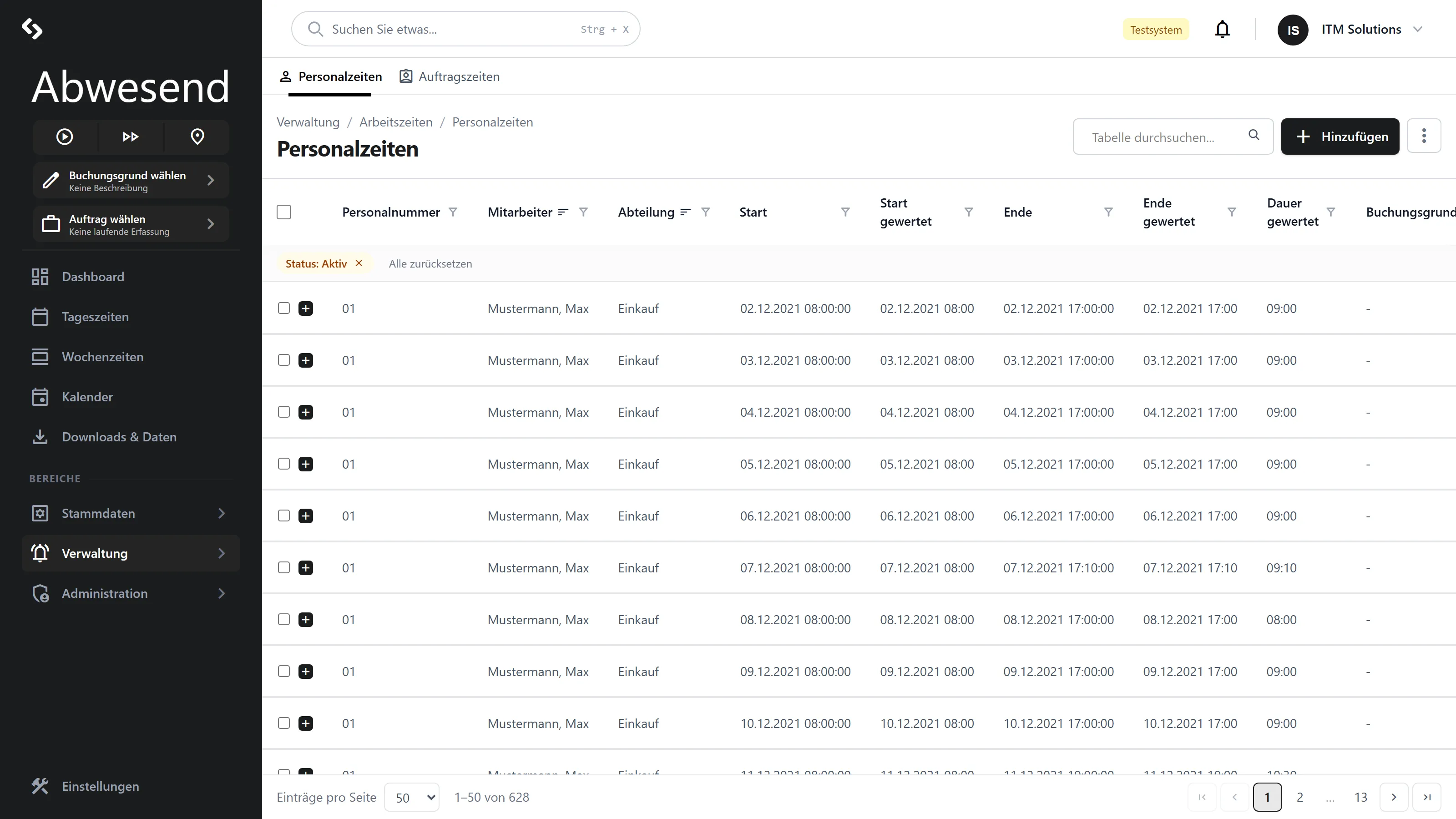
This is where the raw attendance data lives. Every row is one span from Kommt (arrival) to Geht (departure) — exactly as it was created at the terminal, in the app, or by hand.
This is your correction tool: for each month you see who arrived and left when, how much of that was gewertet (evaluated, i.e. counted), and whether a booking is still offen (open). You add missing bookings and correct wrong ones — and every change is logged in the Verlauf.
The columns
Section titled “The columns”| Column | Meaning |
|---|---|
Personalnummer | The employee’s personnel number. |
Mitarbeiter | Nachname, Vorname (surname, first name). |
Abteilung | The department. If someone is assigned to several, only one is shown. |
Start | The clocked start — including seconds. |
Start gewertet | The start the system calculates with — without seconds. |
Ende | The clocked end. If it says offen, the Geht booking is missing. |
Ende gewertet | The end the system calculates with. |
Dauer gewertet | The evaluated duration as HH:mm. When grouped, also the group total. |
Buchungsgrund | The booking reason, e.g. Dienstgang, Arztbesuch. |
Bemerkung | Free text. |
Gerät | What the booking was made with — Terminal, Web or App. |
Exportiert | Date of the payroll/DATEV export, otherwise -. |
Searching and filtering
Section titled “Searching and filtering”The search box searches Nachname, Vorname and Bemerkung — not the Personalnummer, not the Buchungsgrund and not the Gerät. For those, use a column filter.
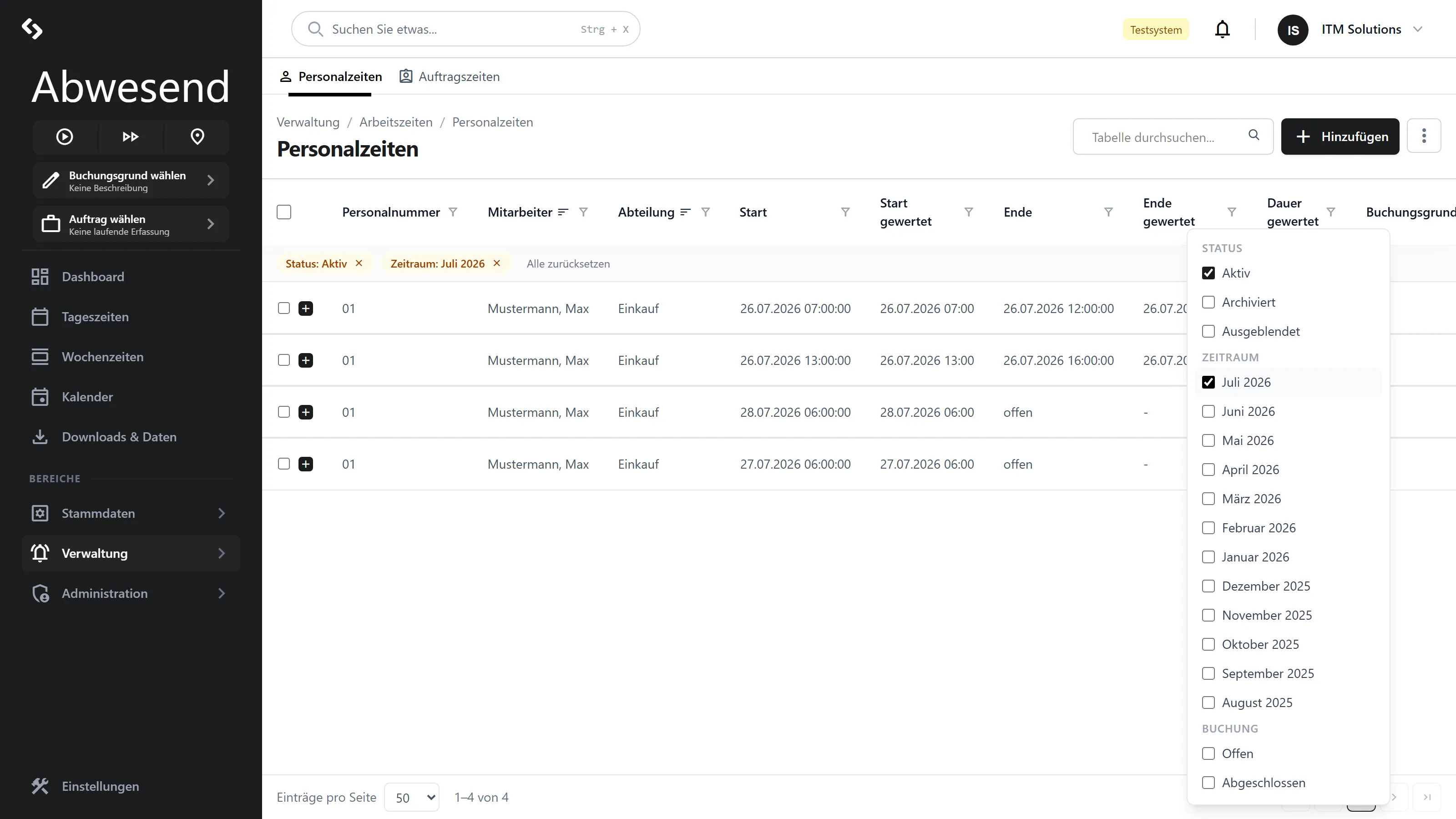
Three pre-filters are available:
| Pre-filter | Options | Default |
|---|---|---|
Zeitraum | The last 12 months | current month |
Status | Aktiv, Archiviert, Ausgeblendet | Aktiv |
Buchung | Offen, Abgeschlossen | no selection (= everything) |
Creating or correcting a booking
Section titled “Creating or correcting a booking”-
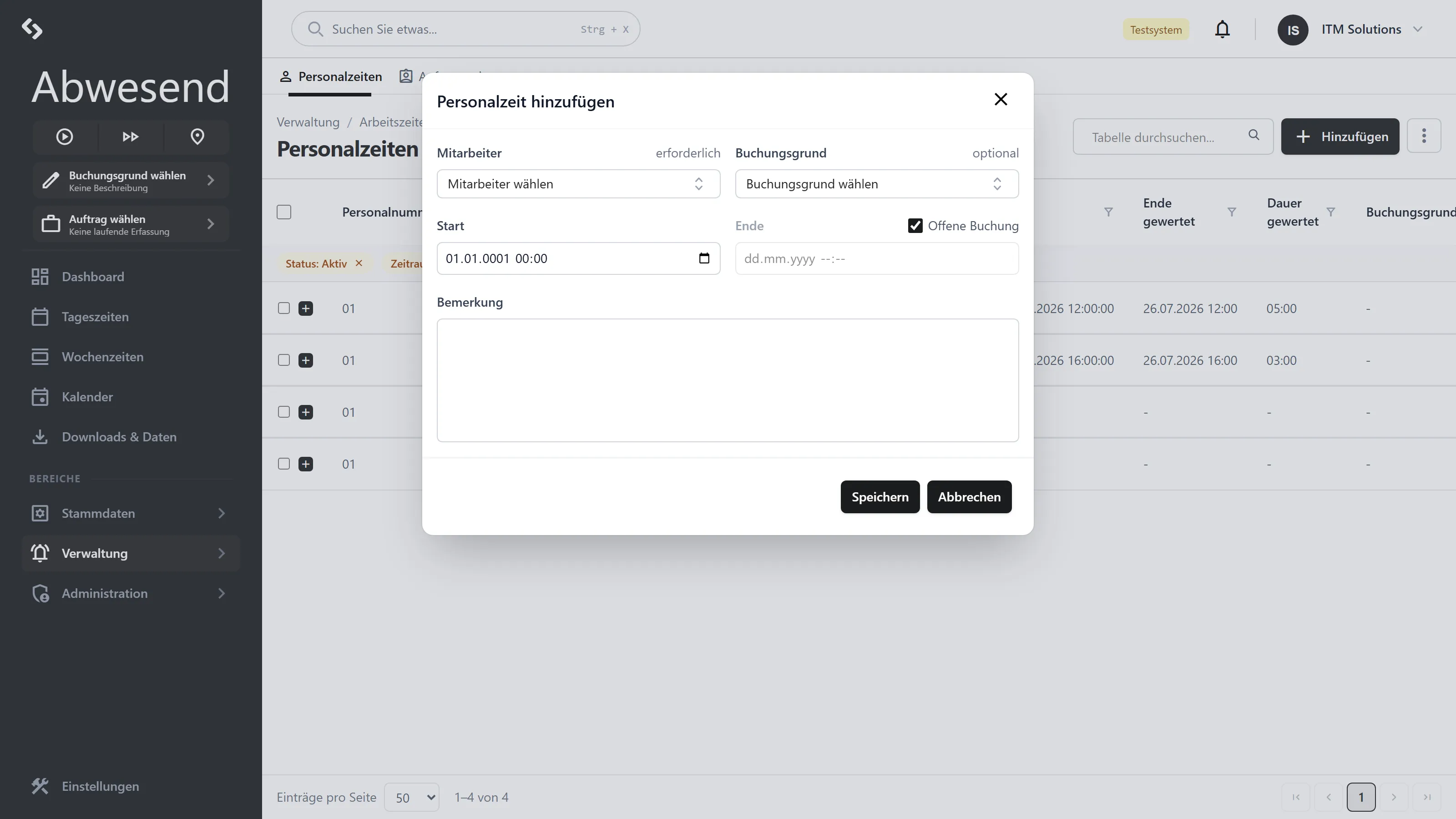
Hinzufügen in the header — or right-click a row → Bearbeiten.
-
Fill in the dialog:
Field Required Note Mitarbeiteryes Only active employees are available for selection. Buchungsgrundno Can be cleared again with the ✕. Startyes Date and time. Endeno Leave empty = open booking. Offene Buchung– Checkbox next to the Ende label. Ticked ⇒ Endeis locked.Bemerkungno Free text. -
Speichern.
These messages can appear:
| Message | Meaning |
|---|---|
| „Mitarbeiter*in ist erforderlich.” | No employee selected. |
| „Start ist erforderlich.” | No start time set. |
| „Ende muss nach Start liegen.” | The end lies before the start. |
| „Der Monat ist bereits abgeschlossen.” | See Monatsabschluss. |
| „Kein Gerät für manuelle Buchungen vorhanden.” | Appears below the Mitarbeiter field. There is no terminal in this client. Please contact your administration. |
Verlauf: who changed what
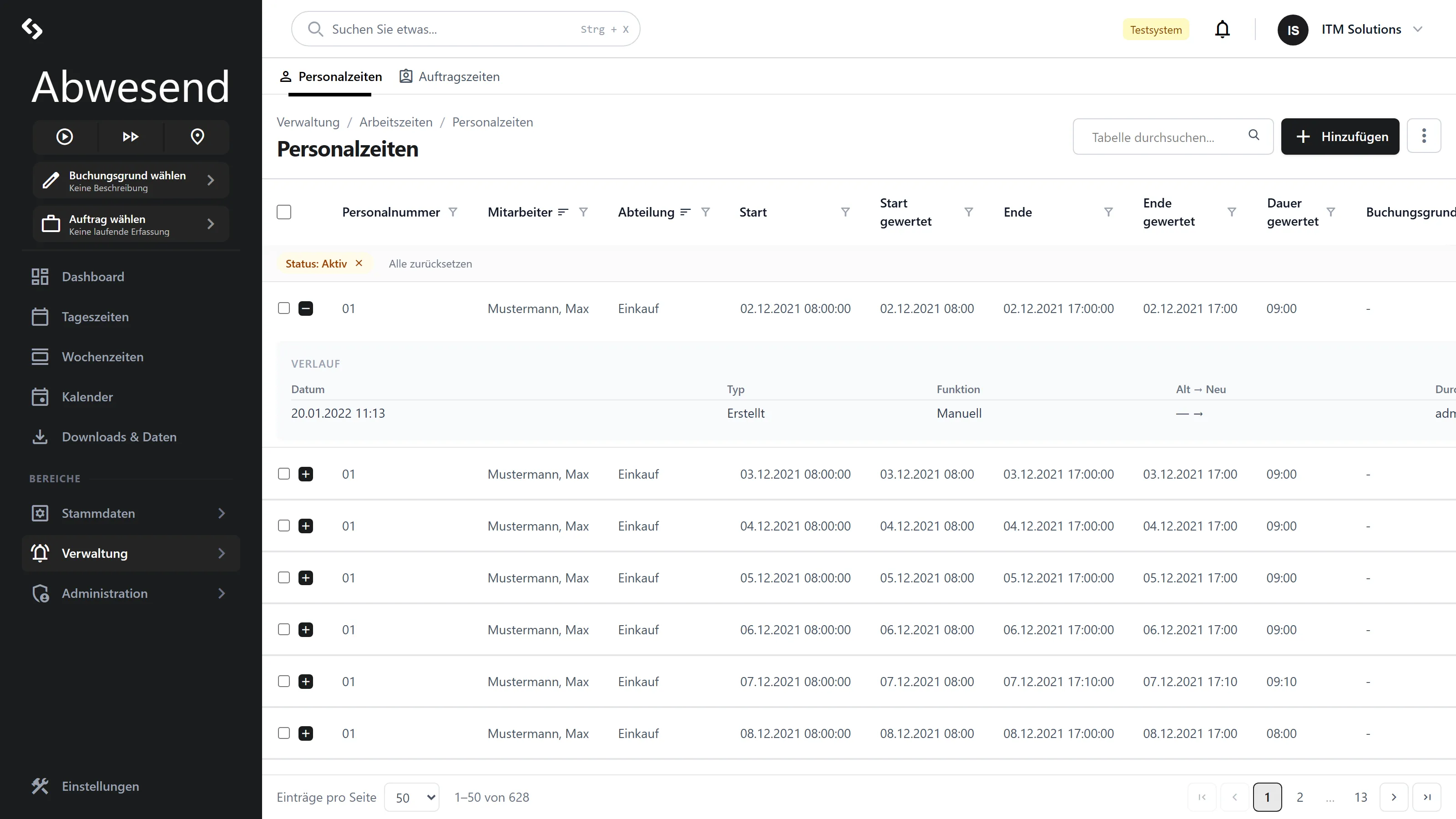
Section titled “Verlauf: who changed what”Every row has a + on the left („Details anzeigen”). It expands the Verlauf — the audit-proof change history of this booking, newest first.
| Column | Content |
|---|---|
Datum | When the change was made. |
Typ | What was changed — Start, Ende, Buchungsgrund, Status or a new record. |
Funktion | How it was changed. For corrections made in the web app, always Manuell. |
Alt → Neu | The old and the new value. |
Durch | Who made the change. |
Gerät | What with. |
Deleting and exporting
Section titled “Deleting and exporting”Löschen in the context menu asks for confirmation first. Once you confirm, what happens depends on the export status:
| State | What happens |
|---|---|
Not yet exported (Exportiert = -) | The booking is deleted for good. |
| Already exported | The booking is not deleted, but set to Ausgeblendet — so that the export history stays intact. |
When a correction does not show up
Section titled “When a correction does not show up”A corrected Personalzeit does not change the evaluation straight away. The evaluation runs downstream.
Two things follow from this:
-
The day’s balance is only correct once the daily evaluation has run again. You can trigger it in the Tagesauswertung with Berechnen.
-
A Personalzeit you have just added does not yet count as the basis for the Anteil Personalzeit mode in the Auftragszeit dialog. If you add a Personalzeit and want to book a share of it to an order immediately afterwards, you will see the message „keine gewertete Personalzeit vorhanden”. Calculate first, then book.
Screenshots are taken from a test tenant and show sample data. Your interface may differ depending on role, licence and configuration.