

Auftragsauswertung
Verwaltung → Auswertung → Auftragsauswertung
The reverse perspective: not “What did this person do?”, but “Who booked how much time to THIS order?”. One row per booking, grouped by day with a daily total and a grand total — for project and order controlling.
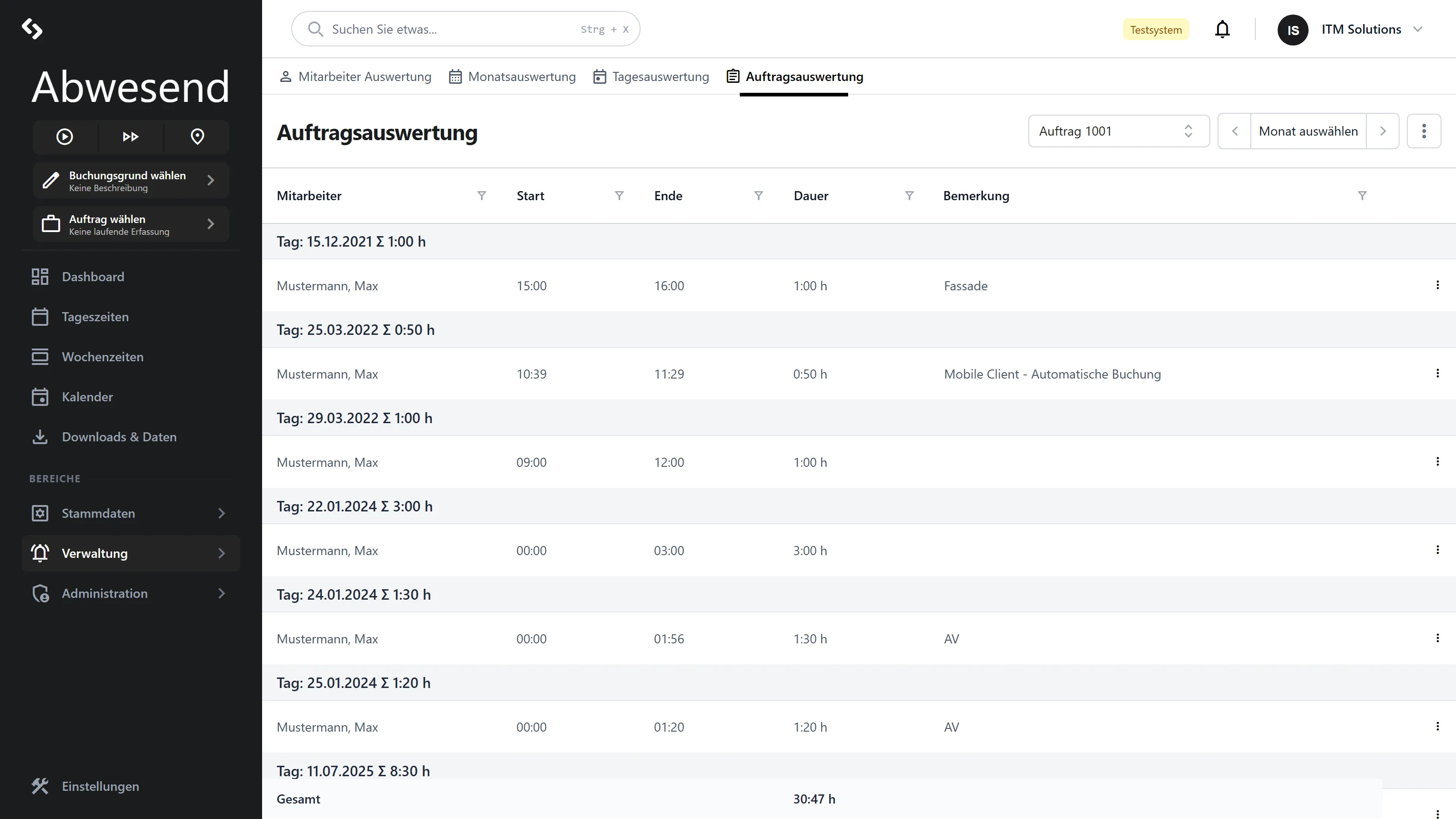
Select the Auftrag first
Section titled “Select the Auftrag first”Without an order selected, a grey veil lies over the screen: „Bitte wählen Sie einen Auftrag aus”.
Two filters:
- Auftrag — mandatory.
- Monat — optional. Use the ✕ to clear it and see the entire history of the order. That is the default setting.
The columns
Section titled “The columns”| Column | Meaning |
|---|---|
Mitarbeiter | Who made the booking. |
Start | Start (time of day). |
Ende | End (time of day). |
Dauer | Duration of the booking, as h:mm. |
Bemerkung | Free text. |
Grouped by day, with the daily total in the group heading (Tag: … Σ 7:30 h). The footer
shows the total of the visible entries under Gesamt.
The column, the group heading and the footer all calculate in h:mm, so the totals match
the individual rows.
Reports
Section titled “Reports”This screen calculates nothing — it only reads. That is why there is no Berechnen button.
⋮ Aktionen:
| Entry | Result |
|---|---|
| Auftragsübersicht (Monat) | PDF for the selected order and month. Needs both. |
| Auftragsübersicht (gesamt) | PDF covering the entire duration. Needs only the order. |
If there is nothing available, the system reports „Für die Auswahl wurden keine Daten gefunden.”
Correcting bookings
Section titled “Correcting bookings”The context menu offers Bearbeiten, Löschen and — in the empty area — Hinzufügen. It opens the same dialog as the Auftragszeiten screen, including the three modes Endzeitpunkt, Dauer and Anteil Personalzeit.
After the dialog is closed, the list reloads automatically.
Screenshots are taken from a test tenant and show sample data. Your interface may differ depending on role, licence and configuration.