

Schichtplanung
Verwaltung → Planung → Schichtplanung
What the screen shows
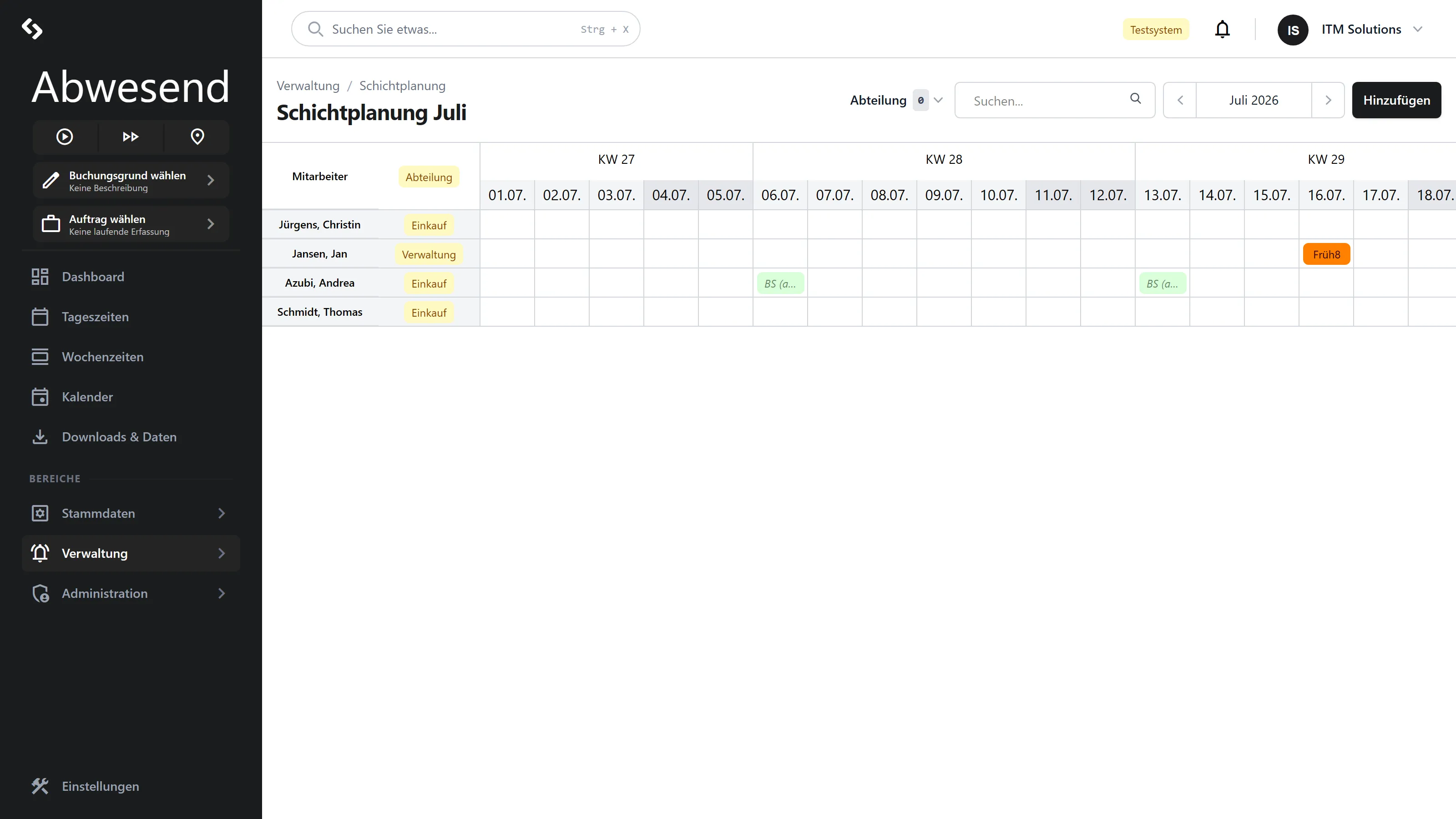
Section titled “What the screen shows”One row per employee, one column per day, grouped by Kalenderwoche (calendar week). The bars are assigned Tagespläne (shifts), colored according to the respective Tagesplan.
Absences from the same period are drawn into the same rows — so you can see at a glance where a planned shift meets a leave entry.
The period covers three months
Section titled “The period covers three months”Unlike every other screen, Schichtplanung shows the selected month plus the two following months — around 62 days. That is deliberate: shifts are planned in advance.
Who appears here
Section titled “Who appears here”Using the screen
Section titled “Using the screen”As in the Fehlzeiten calendar: right-clicking a bar offers Löschen, right-clicking empty space offers Hinzufügen. Dragging across empty cells selects a range of people × days.
Bars on days that carry an absence cannot be dragged.
Screenshots are taken from a test tenant and show sample data. Your interface may differ depending on role, licence and configuration.